
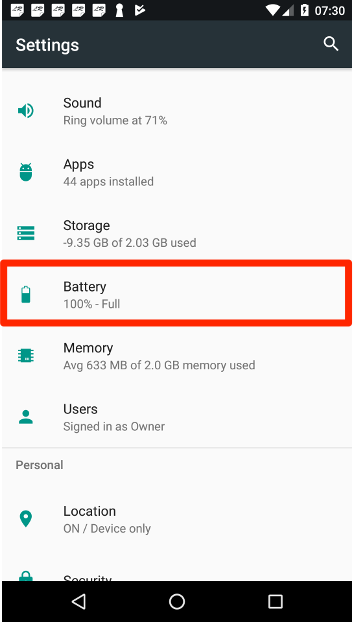
Go to your android settings and select "Battery"
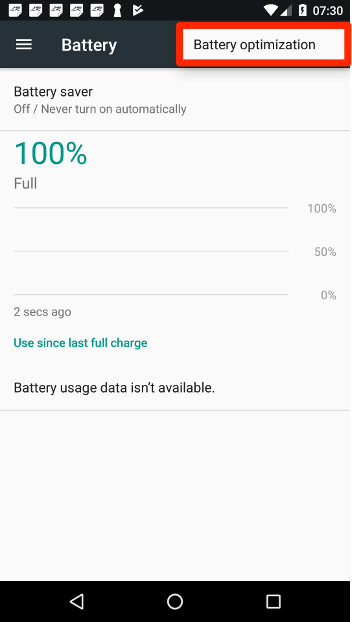
Select "Battery optimization" from the top menu
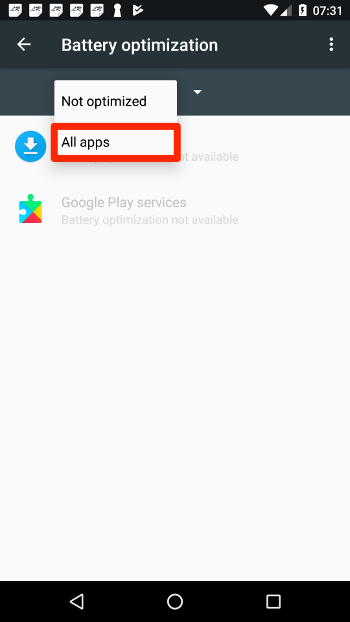
Select "All apps" from the menu on the top of the list
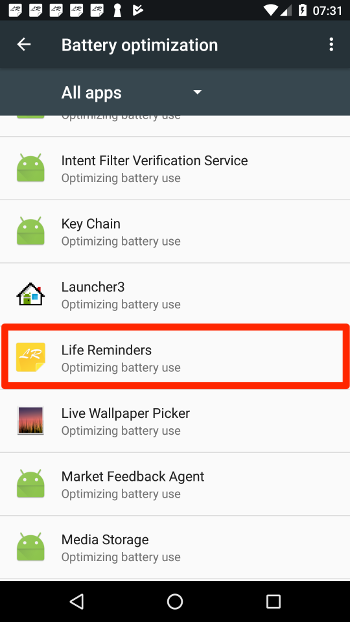
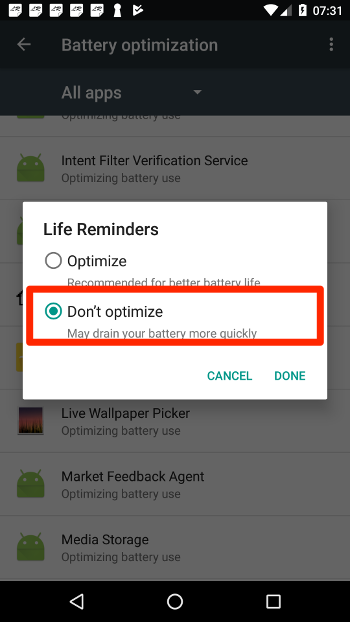
Search from "Life Reminders" in the list and select it
Select "Don't optimize" from the dialog box
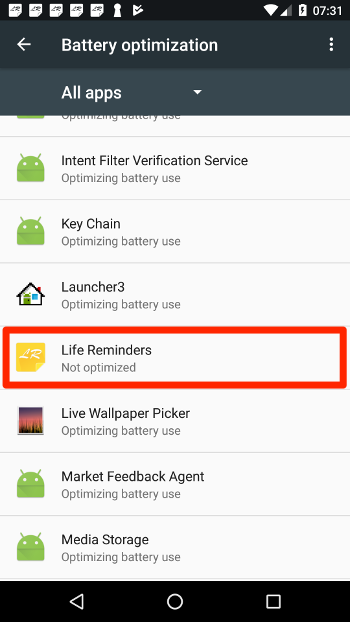
Now Life Reminders is listed as "Not optimized" and should work fine
RESTART your device after changing those settings
Here is a video to should the steps:
Comments
0 comments
Please sign in to leave a comment.