
Make sure that you follow every step and that you restart your device when you are done
-
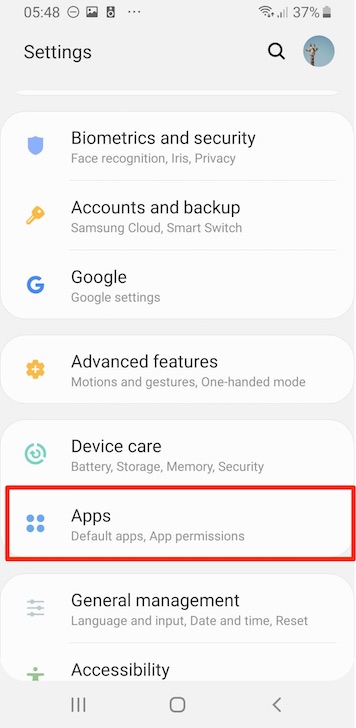
Go to the installed apps section
-
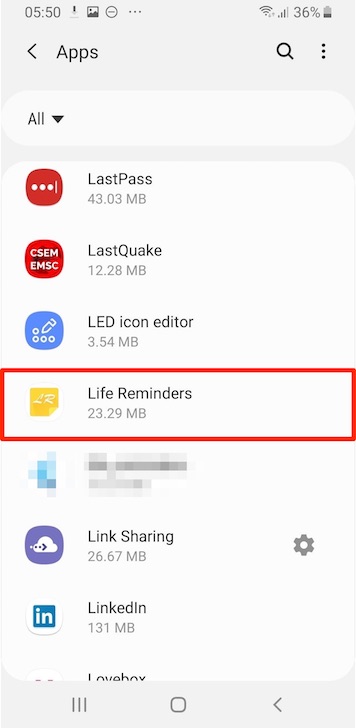
Locate and select Life Reminders in the list
-
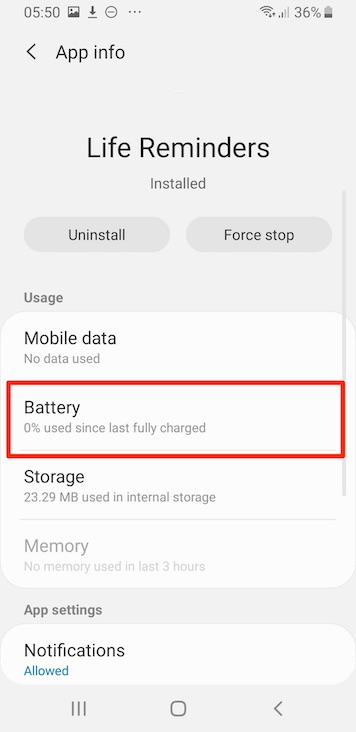
Go to the "Battery" section
-
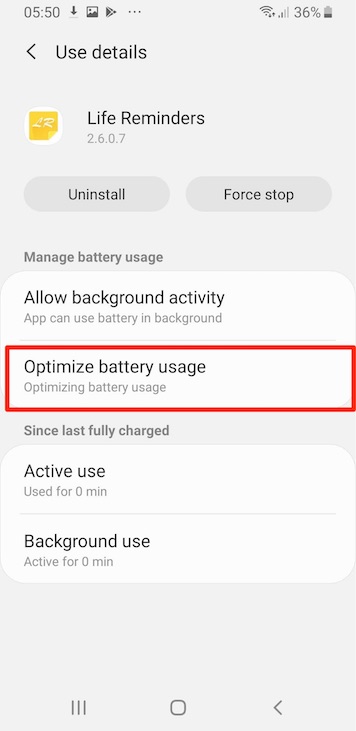
Then select "Optimize battery usage"
-
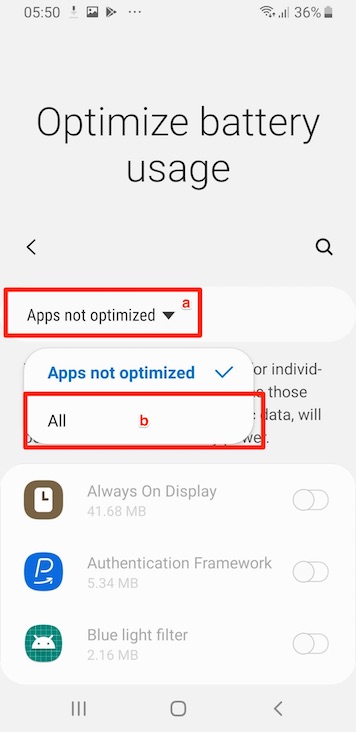
Click on the filter list and select "All"
-
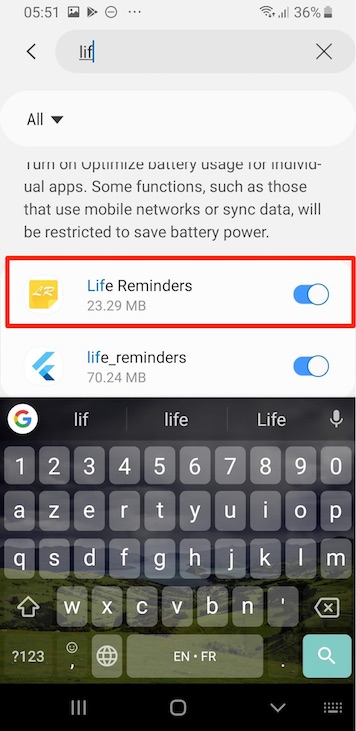
Once again locate Life reminders in the list (if you have many app on your device you can use the search feature)
-
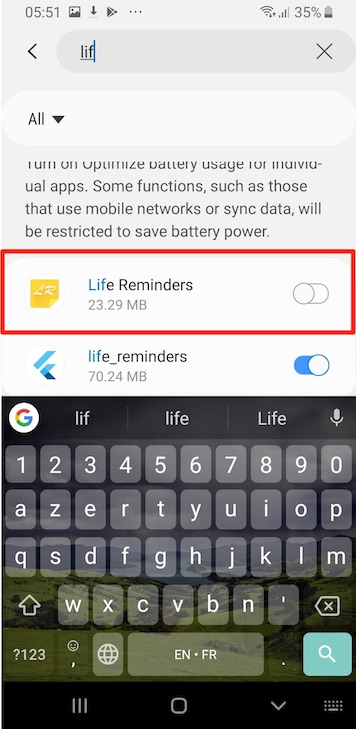
Mark Life Reminders as not optimized (by triggering the switch)
-
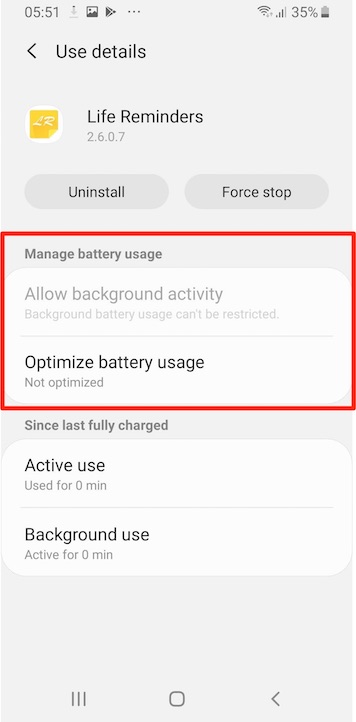
The "Manage battery usage" section should now look like this
-
Restart your device to make sur that the changes a properly applied
Comments
0 comments
Please sign in to leave a comment.